Download
Here is the sample code about the mediation between Vpon and MoPub.
MoPub Settings
To setup MoPub for the mediation of Native ad, you need to complete the following steps:
Step1: Add your app
Click “Inventory” tab and click “Add a New App”. Register your app here.

Step2: Add an Ad unit
In the inventory that you just created, click “Add an Ad Unit” to create a native ad.

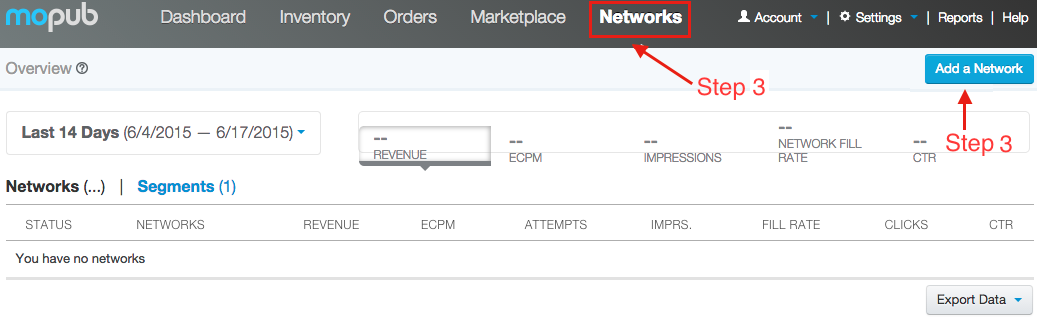
Step3: Add Vpon Ad Netword
Click “Networks” tab and click “add a Network”.
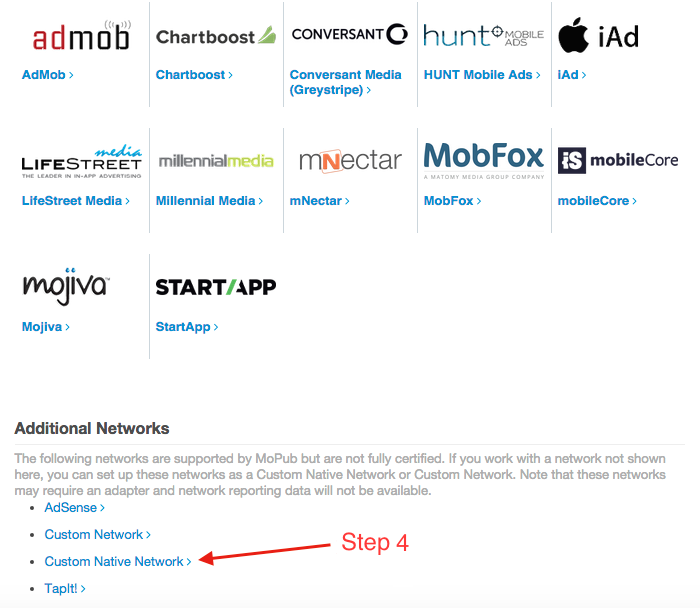
Step4: Custom Native Network
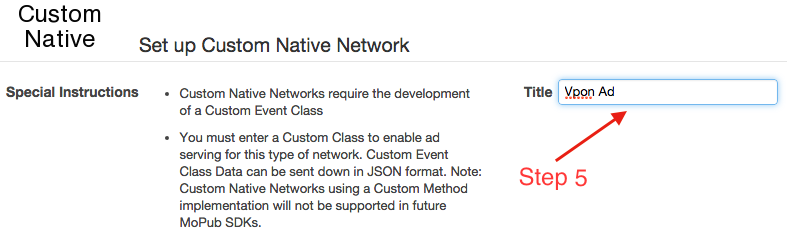
Step5: Add title to manage your Ad network
Step6: Fill in CUSTOMEVENT
Fill in your package name + class name, you can see the sample at the reference page.
Step7: License Key / adUnitID
Fill in License Key which you apply from our Vpon website, and the key is adUnitID

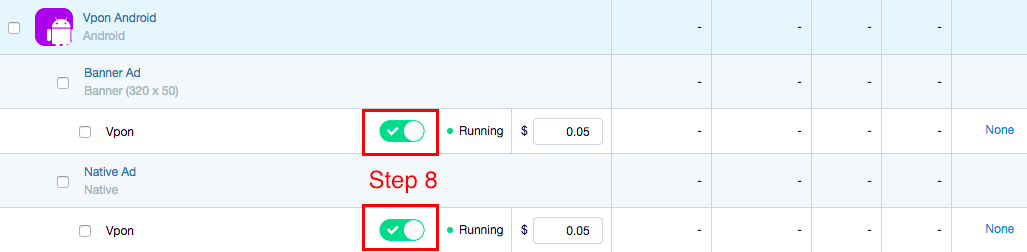
Step8: Enable Vpon Ad Network
After filling in the data above, click “Segments” tab and choose “Global Segment”, you will see your inventory, ads, and Vpon ad network. Please turn Vpon Network “Enabled” on, and check the the stauts of the network is “Running”.